Monday, February 14, 2022

Innovation With Software Architectural Excellence

Innovation With Software Architectural Excellence

Software architecture plays an irreplaceable role in enabling businesses to deliver value efficiently. This is evident in how digital natives have been challenging incumbents and forcing them to rapidly digitize and transform how they operate and innovate. Accordingly, achieving architectural excellence is a continuous process of efficient implementation, advanced planning, and executive leadership engagement. Furthermore, it’s essential to recognize that software architectural strategies and planning shouldn’t be limited to IT. Enabling collaboration between IT and business leaders is necessary as software architecture plays a key role in delivering value, making processes robust, and tackling the next wave of changes in value creation and delivery.

Innovation With Software Architectural Excellence

The Goal of a Good Software Architecture

A good software architecture facilitates the ongoing business processes function robustly and ensures business capabilities are competitive against threatening challenges. Beyond this, the software architecture should also become the fundamental aspect of driving the next waves of business changes—whether they are processes, models, or innovative products and features. These changes result from competitive forces increasing digitization, transformation, and ecosystem-based consolidation, making change the overarching constant in various business aspects. Accordingly, conventionally viewing a software architecture at a limited software or product level doesn’t work as well as it used to. The practice of viewing software architecture at the business and ecosystem-level gains even more emphasis as digitization and innovation make businesses and ecosystems digitally intertwined in how they interact.

The following fundamental aspects describe how to innovate with architectural excellence:

Security and Privacy

Customers are increasingly becoming wary of how their data is handled and protected—and are even reluctant to do business if an organization doesn’t have clear policies on how it protects and handles customer data. On the other hand, regulators are constantly improving their compliance requirements to protect customers. This landscape is changing at different rates across multiple countries, posing challenges and equally creating opportunities for fast adapters. All of this implies that businesses need to ethically manage customer data along with protecting against the constantly evolving threat landscape. To satisfy this need, it is necessary to revise the existing software architecture and involve senior executives in making critical decisions in this respect. Moreover, architectural planning cycles should come down to a few months—instead of years. This is key to building and implementing innovative solutions rapidly to tackle changing regulatory landscape and customer expectations.

Satisfy User Needs

Since 2008, the smartphone has been changing customers’ experiences and expectations. Digital disruptors are continually challenging incumbents and threatening their survival. In this paradigm shift, businesses should understand their customers more deeply, quickly adapt their business models and introduce new products to fulfill customer needs. It requires architectural agility that offers the flexibility to innovate business models in shorter cycles and improve them faster with customer feedback. This also means keeping a long-term view towards software architecture planning and strategy development that enables seamless innovation and eliminates process and performance bottlenecks. In this view, software architecture improvements and decisions should align with business objectives and strengthen business capabilities, not just the number of implementations or technical solutions the IT has delivered.

Empower Developers

Today, more and more businesses need developers to help them digitize and transform. Accordingly, empowering developers is essential, and software architecture is the fundamental way to help them drive innovation and build critical business capabilities. Developer empowerment is usually measured in terms of developer velocity — it defines how enabled developers are to be agile and how well their talent is utilized. To improve developer velocity, provide them with a well-defined software architecture to focus on quality and consistent development. Also, the software architecture must have scope for customization so that developers can utilize it to its full potential.

While the above describes the overarching approach, the following sections detail the fundamental aspects of achieving innovation with architectural excellence.

Scalability

The software architecture should support scaling applications seamlessly on-demand to accommodate spikes in user growth and scale back to save operational costs. Accordingly, this approach requires deploying your application in the cloud while ensuring not just the underlying infrastructure but also the multiple components in your entire system scale without friction or intervention. High performance should accompany this to ensure customer satisfaction and deliver a superior experience. This means that your system should perform ideally at any scale at any time.

Portability

Can the system itself or components of it be deployed in any cloud platform—public, private, or hybrid cloud? How much does it cost to move in terms of time, effort, and cost? In a world of hyperscale cloud providers and cutting-edge cloud services, a company’s IT ecosystem shouldn’t be locked into one platform or vendor but should utilize the best available services and technologies currently—that are also future-ready to improve performance and optimize overall costs.

Compliance

Businesses should develop a compliance framework that aligns people, processes, and strategies with regulatory requirements to ensure compliance and avoid non-compliance risks. Also, the framework should be work-in-progress to accommodate upcoming changes from regulators across the board.

Maintainability

Similar to the source code of software components, software architecture should be easily maintainable—meaning that the software architecture shouldn’t introduce bottlenecks when modifying and improving it.

Maintainability issues could take many forms: is the software architecture outdated for the current technical and business landscape? Is it using legacy versions that are incompatible when other components and dependencies are updated? Ensuring the software architecture’s maintainability helps facilitate innovation and move at a competitive pace. If at all unsure where to start improving or redefining a software architecture, start with maintainability.

Cost

IT is often under constant scrutiny to justify its expenditure, and it is complicated to measure IT’s meaningful contribution to the business outcomes. As a result, IT constantly faces the risk of budget cuts and challenges in optimizing costs. Typically, the software architecture is let to grow organically, leading to duplication of system and efforts and inconsistent data across systems. To overcome this, control the software architecture on an ongoing basis, which, in turn, allows for more predictable cost-control.

In this fast-changing landscape of digital, businesses should maintain flexible architectures that facilitate innovation and continually improve the software architecture using agile methodologies to gain a competitive advantage in the business capabilities. This practice is much needed, especially when digital disruptors are increasingly threatening to take it all—leaving laggards behind.


Originally Published at DevOps

Innovation With Software Architectural Excellence
Software architecture plays an irreplaceable role in enabling businesses to deliver value efficiently. This is evident in how digital natives have been In this fast-changing landscape of digital, businesses should maintain flexible architectures that facilitate innovation and continually improve the…
Innovation With Software Architectural Excellence

https://bit.ly/36eOWuO
https://bit.ly/3oKMdj2


https://guptadeepak.com/content/images/2022/01/matrix-g10192a61f_1280-e1642259134849.jpeg
https://deepakguptaplus.wordpress.com/2022/02/15/innovation-with-software-architectural-excellence/

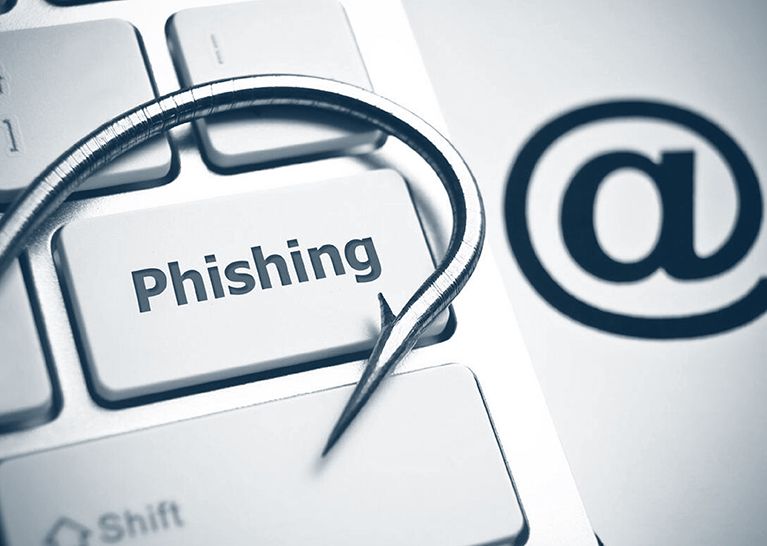
Phishing Attacks: How to Identify & Avoid Phishing Scams

Phishing Attacks: How to Identify & Avoid Phishing Scams

Phishing attacks are on the rise, and they are unfortunately more sophisticated than ever.

In the past, identity theft could be seen as a common subject in blockbusters or police drama TV series. Today, however, phishing is a reality that could affect anyone.

So why are these types of attacks on the rise? After all, phishing is not exactly a new concept.

The reason is they are incredibly profitable for the attackers.

The average data breach costs organizations $3.92 million.

A Phishing attack can be a death blow for businesses that don't take the necessary precautions. Not only is the top-line affected, but the brand's image and trust can be obliterated if news of a data breach reaches the public.

  • The healthcare industry saw the most breaches accounting for USD 7.13 million in 2020.
  • Incidents involving payment and invoice fraud increased by 112% between Q1 2020 and Q2 2020.
  • 96% of phishing attacks arrive by email, 3% are carried out through malicious websites, and just 1% via phone.
  • 86% of breaches were financially motivated in 2020.
  • 43% of breaches were attacks on web applications in 2020. That's more than double the results from 2019.

What is Phishing

Let's jump back to the beginning and answer the obvious question: What is a Phishing attack?

A Phishing attack or scam is when an attacker sends an email pretending to be someone (for example, the CEO of an organization) or something he's not (for example, poses as Google). The goal is to extract sensitive information out of the target.

Essentially, the attacker attempts to create fear, curiosity, or a sense of urgency. When the target is prompted to open an attachment or fill in their sensitive information (i.e., username, password, or credit card number), they are likely to give in.

A few examples of phishing attacks include:

  • Emails that appear to come from a legitimate source, like Amazon customer support or your bank.
  • Phone calls force victims to act immediately.
  • Emails that include links to fake websites and the victim enter their credentials.
  • Emails appear to come from the victim's organization's human resources department and ask to update your details or install a new app on their system.
  • Online advertisements force the victim to click on a valid-looking link that redirects to a malicious website.

7 Ways to Detect a Phishing Email – Here's How

Phishing Attacks: How to Identify & Avoid Phishing Scams

1. The email is sent from a public domain.

No legitimate organization will send you an email from an address ending with '@gmail.com.' No! Not even Google.

Almost all organizations have their own email domain and company accounts from where they send out official messages.

Therefore, before opening an email, ensure that the domain name (what follows after @) matches the sender.

There is a catch, though. Hackers may try to mimic a real email. For example, if an address looks like 'paypal@notice-access-273.com', that is a red flag.

A genuine email from PayPal will have PayPal in the domain name, i.e., after the @ symbol.

2. The email requests your sensitive information.

If you receive an anonymous email asking for sensitive information, chances are it's a scam. No companies will send you an email requesting passwords, credit card data, tax numbers, nor will they send you a login link.

3. The email has terrible grammar.

Bad grammar is one of the easiest ways to recognize a phishing email. Because the legitimate ones are always well-written with no lousy syntax, they are often written by professional writers who exhaustively check for spelling before sending them out.

So, the next time you receive an email with strange phrases and poor language in the body of the message, it is actually a phish.

4. The email has a suspicious attachment.

You should be alarmed if you receive an email containing an attachment from a company that you do not recognize or that you weren't expecting. A malicious URL or trojan may be included in the attachment.

It's good practice always to scan it using antivirus software first, even if you believe the attachment is real.

5. The message has made you panic.

Phishing emails are popular to incite fear in the recipient. The email can say that your account may have been compromised, and entering your login details is the only way to verify it. Alternatively, the email will state that your account will be closed if you do not respond immediately.

In any case, contact the company through other methods before committing any action.

6. The email says you have won a lottery.

So, you received an email about winning a lottery, gift cards, or some new gadgets, but you do not remember buying tickets for it—that's definitely a scam.

And when you open the message and click on a link, you will be redirected to a malicious website.

7. The email is from a government agency.

The government will never contact you directly. And most definitely, they won't engage in email-based harassment. Scammers send messages to victims claiming to be the IRS or the FBI demanding their personal information.

Most of the IRS sends direct official letters to home addresses and do not send you an email or call you until you receive an official letter.

Moving on.

Phishing attacks may have a variety of targets depending on the attacker. They could be as generic as email phishing, looking to scam anyone who has a Facebook account, or could be extreme as targeting literally one victim.

Verizon statistics show that 94% of malware attacks begin with phishing via email.

We have hashed out the different types of phishing attacks.

What Are the Common Types of Phishing Attacks and How To Prevent Them

Phishing Attacks: How to Identify & Avoid Phishing Scams
  • Spear Phishing

Spear phishing targets a particular group or category of people, such as the organization's system administrators. Hackers customize their attack by sending emails with the target's name, work phone number, position, company, and other information to deceive the recipient and trick them into believing that the sender is genuine.

They ask the victim to click on a malicious URL or email attachment and get hold of their sensitive data.

Organizations should conduct employee security awareness training to defend against this type of scam. They should discourage employees from sharing personal or organizational details on social media. Companies should also invest in solutions that analyze identified malicious links/email attachments for inbound emails.

  • Whaling

Whaling is an even more focused form of phishing since it goes after the whales, the BIG fish within the industry like the CEO, CFO or CTO.

For example, c-suite executives might get an email stating that their company is being sued, and for more information, they need to click on the link. The link redirects them to a page where they enter all of their company's sensitive details like Social Security numbers, tax ID #, and bank account #s.

Whaling attacks succeed because executives often do not engage with their staff in security awareness training. Organizations should mandate that all company employees, including executives, engage in safety awareness training on an ongoing basis to address the risks of CEO fraud and W-2 phishing.

Organizations should also introduce multi-factor authentication (MFA) into their financial authorization processes so that no payment is authorized via email alone.

  • Smishing and vishing

Both smishing and vishing involve the use of phones instead of emails. Smishing involves sending text messages to the victim with messages to lure them in to share sensitive information. While hackers communicate via phone in vishing.

A typical vishing scam involves a hacker posing as a fraud investigator telling the victim that their account has been compromised. The hacker would then ask the victim to provide their bank details to transfer money into a 'safer' account, the hacker's account.

Stop answering calls from unknown phone numbers to defend against vishing attacks. Never give out private details over the phone and use a caller ID app.

You can protect against smishing attacks by carefully observing unknown phone numbers and if you have any doubt, reach out directly to the company that's mentioned in the message.

  • Email phishing

It is no secret that the majority of phishing attacks are sent by email. Cybercriminals register fake domains that mimic a real organization and send out thousands of generic requests.

They may use the name of the company in the email address like paypal@domainregistrar.com in the anticipation that the name of the sender would simply appear in the inbox of the recipient as 'PayPal'.

There are many ways to spot a phishing email, but in general, always think before you click an email. Never click on suspicious links, download attachments, or share any sensitive information via email.

  • Search engine phishing

Also known as SEO poisoning or SEO trojans, search engine phishing is the type of phishing where hackers create a fake webpage by targeting specific keywords. When the victim lands on the webpage, they are redirected to the hacker's website.

These websites could be anything. For example, if you are looking for a job, you may come across fake offers with non-existing companies. The application will require you to provide your personal data like bank details or insurance accounts.

Remember, no company asks for personal details unless you are hired. Therefore, it is high time you start being cautious.

Here are a few other guidelines to keep yourself safe from phishing attacks.

  • New phishing attack methods are developed all the time. Therefore, keep yourself informed about the latest ones.
  • Do not click on a link in an email or instant message unless you are sure that it is genuine.
  • Download an anti-phishing toolbar that will alert you every time you are about to enter a known phishing site.
  • Keep your browser up-to-date and check your online accounts regularly for traces of phishing attempts.
  • Use high-quality firewalls as a shield between you, your computer, and outside intruders to reduce the odds of phishing attempts.
  • Be cautious of pop-up windows as they often redirect to malicious websites. Do not click on the "cancel" button, as those buttons often lead to phishing sites. Click the tiny 'x' in the upper corner of the browser instead.
  • Get into the habit of regularly changing your passwords to lock out potential attackers.
  • Do not share your personal information anywhere over the Internet.
  • Train your employees to adopt the best anti-phishing practices.

Conclusion

Using the tips mentioned above, businesses will be able to identify some of the most common kinds of phishing attacks. But, that doesn't mean that you can spot every phish. It's a harsh reality that phishing is constantly evolving to adopt new techniques.

With that in mind, you need to be on top of the game every single day. Keep on conducting security awareness training so that your employees and executives never fall prey.


Originally Published at LoginRadius

Phishing Attacks: How to Identify & Avoid Phishing Scams
Phishing attacks are on the rise and, sadly, they are more advanced than ever. To learn more, check out this blog.
Phishing Attacks: How to Identify & Avoid Phishing Scams

https://bit.ly/3HRQk4u
https://bit.ly/3LB61zl


https://guptadeepak.com/content/images/2022/01/phishing-for-identity.jpeg
https://deepakguptaplus.wordpress.com/2022/02/15/phishing-attacks-how-to-identify-avoid-phishing-scams/

Friday, February 11, 2022

Identity as a Service (IDAAS): Managing Digital Identities (Updated)

Identity as a Service (IDAAS): Managing Digital Identities (Updated)

Identity as a Service (IDaaS) can be a game-changer for your business—but only if you know how to play it right.

Speaking of which, the term identity refers to characteristics that make an entity recognizable. Likewise, digital identity refers to attributes that identify people, organizations, or other entities online.

With more and more businesses migrating to the cloud, the demand for seamless authentication of digital identities has reached a critical point.

Experts predict a massive change in the way enterprises handle customer identity and access management (CIAM) within the next decade.

By 2022, Identity as a Service (IDaaS) solutions is expected to grow the identity and access management space to a $13.42 billion property. Hence, now is the best time to invest in a secure, highly accessible, simplified, low-risk solution like IDaaS.

What is Identity as a Service (IDAAS)?

Identity as a service (IDaaS) refers to identity and access management services that are offered through the cloud or via SaaS (software-as-a-service) systems. It offers cloud-based authentication delivered and operated by third-party providers on a subscription basis.

In short, IDaaS helps manage digital identities so that the right users can access the resources that are meant for them.

IDaaS is a win-win for both businesses and their customers. With modern IDaaS access features, there’s no need for end-users to remember multiple account credentials. Likewise, system administrators can reduce the number of user accounts they have to manage.

3 Benefits of Identity as a Service (IDAAS) for Developers

As an application developer, you must see features like registration, authentication, and account recovery as opportunities to better customer experiences. But, that’s not it. The following are three important benefits of IDaaS for developers.

Decentralization of identity

IDaaS allows application developers to decentralize the user identity from the application. This leads to the following advantages for developers.

  • If there is no need for the user identity information any longer, there's no point in storing it in their databases.
  • The identity of a user does not resonate with the application, and all developers should care about is a unique identifier.
  • The CIAM platform will also manage the non-feature work like user CRUD, password CRUD, etc. That's another burden of the load.

By letting an external service handle identity and authentication, developers can focus on bringing more value to the business.

IDaaS is API-based

One of the core competencies of IDaaS is that they are API-first. Interestingly, most of these third parties provide on-demand expertise that would otherwise become more time-consuming and resource-heavy, if developed in-house.

By leveraging APIs, developers can add them to their existing technology and save a significant amount of time.

Bridge the gap between developer and security teams

With developers constantly bugged to build revenue-generating apps in shorter deadlines, IDaaS allows them to get the job done quickly, and simultaneously create high quality and secure output.

Furthermore, IDaaS has the potential to deliver a secure, streamlined on-demand identity expertise. Such strategies can also do a great deal to reduce internal tension and eventually bridge the gap between developers and the security workforce.

3 Benefits of Identity as a Service (IDaaS) for Businesses

A comprehensive IDaaS solution brings a plethora of benefits to the entire business environment. There's agility, security, and efficiency, to name a few. Some other advantages include:

Freedom to choose

IDaaS allows businesses the freedom to choose the right IT resources that fit them and their customers. When they have the best tool to get their job done, that leads to better agility and increased speed. The outcome? A competitive position in the market.

Increase in productivity

IDaaS offers the liberty to businesses to manage their IT environment from a single platform. There's less scope for human error too. With a comprehensive identity solution, they can let their customers access multiple web properties with a single set of credentials. This leads to increased productivity and better security.

Stronger security

A modern IDaaS solution secures identities and protects your IT environment. With features like MFA, SSO, and password complexity, businesses can control access and increase security. Needless-to-say, with identities being the epicenter of every cyberattack, identity security features such as these are instrumental in safeguarding your digital properties.

7 Core Components of IDaaS in an Enterprise Environment

Identity as a Service (IDAAS): Managing Digital Identities (Updated)

The features and functionalities of an Identity as a Service solution vary across all market segments but generally include digital identity access and management. Here are some of the most common components.

1. Cloud-based and multi-tenant architecture

A typical IDaaS vendor will operate a multi-tenant service delivery model. The vendor will issue updates and performance enhancement requests whenever these become available.

2. Password management and authentication

IDaaS service taps all the points of an ideal identity and access management platform. It includes maintaining features like multi-factor authentication and biometric access across all access points.

3. Single Sign-On (SSO)

When it comes to customer identity and access management, single sign-on is a vital feature.

SSO is designed to maximize the end-user experience while simultaneously maintaining the security of a network. With SSO, users are encouraged to use strong password combinations to access their everyday IT services.

In an Identity as a service environment, SSO allows enterprises to secure authenticationfor third-party services without requiring an internal IT department’s involvement.

4. Multi-factor authentication

Multi-factor authentication (MFA) is associated with Identity as a Service and is occasionally referred to as two-factor authentication. Using multiple factors for authentication helps prevent data breaches, making it one of the best ways to protect digital identities.

Other examples of how MFA works include Google 2-Step Verification and Microsoft Authenticator. Both work on the TOTP (time-based one-time password) mechanism.

Biometrics uses the "inheritance" as a means of verification—meaning something the user is.

SMS and voice verifications are also popular multi-factor authentication methods. Iris or retina recognition, fingerprint, hand, thumbprints, full facial recognition, and DNA usage are catching up too.

5. Automated approval workflows

Identity as a Service also utilizes automated approval workflows. These workflows help IT admins to:

  • Offer access privileges to multiple apps.
  • Enforce GUI-based configuration capabilities.
  • Manage user-account provisioning.
  • Follow governance frameworks for risk assessment.

6. Analytics and Intelligence

Using analytics and intelligence capabilities in IDaaS lets enterprises report misuse related to access privileges. This makes it easier to detect anomalies in user functions and data usage.

7. Governance and Compliance

Enterprises can leverage the intelligence capabilities of an Identity as a Service platform to manage governance and compliance-related workflows. Real-world authentication processes can be aligned with governance policies to mitigate security risk.

Identity as a Service (IDAAS): Managing Digital Identities (Updated)

Some new regulations that are protecting identities include:

1. General Data Protection Regulation (GDPR)

GDPR is the core of Europe's digital privacy legislation. It requires businesses to safeguard the personally identifiable information (PII) of the European Union citizens for transactions that occur within the member states. Failure to comply may cost dearly. Individual rights include:

  • Right to be informed.
  • Right of access.
  • Right to rectification.
  • Right to erasure.
  • Right to restrict processing.
  • Right to data portability.
  • Right to object.

2. California Consumer Privacy Act (CCPA)

The CCPA is a state-level law that mandates that businesses inform customers of their plan to monetize their data, and provide them with a clear means of opting out, whenever required. Any violation can lead to hefty fines. A few other requirements include:

  • Businesses must disclose what information they collect.
  • Businesses must delete customer data upon request.
  • Customers can opt-out of their data being sold.

5 Reasons Why LoginRadius IDaaS Is the Right Fit for Your Enterprise

In a world that’s swiftly migrating to the cloud, the LoginRadius IDaaS provider is positioned to combine both security and ease-of-use in solving emerging business needs for enterprise-level organizations.

Here’s what LoginRadius IDaaS can do for your digital enterprise.

1. Faster implementation

LoginRadius IDaaS implementation in the cloud is fast and straightforward. Since servers are already installed in the cloud, you only need to configure your chosen platform according to your IT protocols to get it up and running.

2. Easy third-party integrations

A cloud-based Identity as a Service platform like LoginRadius easily integrates with 3rd-party apps. You can also add or remove any feature from your existing CIAM environment at any time, such as MFA, SSO, or Progressive Profiling.

3. Seamless data migration

Transferring identity data to a new environment in the cloud may seem daunting to the uninitiated. LoginRadius provides customers with data migration software, and sets up and executes the migration for a seamless, hassle-free transfer.

4. Passwordless Authentication

Passwordless Authentication deters cybercriminals by reducing the risk of password sprawl. With the LoginRadius IDaaS platform, you can set up secure, passwordless authentication and secure password resets.

5. No need for CIAM experts

CIAM experts are an asset to any company when it comes to implementing IDaaS and securing customer identities. Luckily, onboarding a CIAM expert isn’t necessary when using Identity as a Service. With LoginRadius CIAM, we are with you every step of the way in your digital transformation.

Conclusion

There is a lot of anticipation about Identity as a Service in solving real-world business problems. It is important, and no, you cannot mess it up. Because then, you will be out of business. No wonder, IDaaS has already entered the mainstream and will continue growing from here.


Originally Published at LoginRadius

What is IDaaS? – Discover The Benefits | LoginRadius
Identity as a service (IDaaS) This blog highlights the benefits for developers, businesses, and uncover opportunities to better customer experiences.
Identity as a Service (IDAAS): Managing Digital Identities (Updated)

https://bit.ly/3uKtuYT
https://bit.ly/3oLT2kn


https://guptadeepak.com/content/images/2022/01/Leveraging-IDaaS-for-Business-Success-2.jpeg
https://deepakguptaplus.wordpress.com/2022/02/12/identity-as-a-service-idaas-managing-digital-identities-updated/

Monday, February 7, 2022

How Open Source Is Fueling the Future of Data Sovereignty and Digital Autonomy?

How Open Source Is Fueling the Future of Data Sovereignty and Digital Autonomy?

With the increasing risks associated with data storage and management, data sovereignty helps protect sensitive and private data by ensuring it remains within the borders of the data originated state.

Today, businesses focus more on data protection and privacy to kickstart their digital transformation journey. However, the concept of data sovereignty remains quite complex.

Moreover, the privacy regulations, including Europe’s GDPR and California’s CCPA, are becoming more stringent. This means organizations across the technological landscape need to quickly realign their data management efforts to meet the compliance requirements.

Here’s where the role of open source comes into play.

Open source enables a common operating environment allowing enterprises to embrace hybrid cloud that further empowers their apps across all private and public cloud infrastructures. With open-source technologies, analyzing and accessing data across diverse clouds and regions without the need to move data to a centralized location is possible.

Let’s understand the role of the open-source cloud and how it’s fueling the future of data sovereignty and data autonomy.

Encryption Aids Global Companies Maintain Data Sovereignty

Businesses have to share their sensitive information outside their geographical location. Thus, it becomes a steep climb for enterprises to achieve growth while adhering to data sovereignty and maintaining compliance with the regulations.

End-to-end encryption can be the game-changer in this context since encrypting sensitive data and hosting own encryption keys ensures maximum security for both the business and the clients. Achieving an end-to-end encryption mechanism through a zero-trust security approach could help achieve the necessary data privacy compliances without compromising data sovereignty.

Move Workloads Effortlessly

Open source has revolutionized the conventional data center operations and, at the same time, automated deployment, management, and scaling of application containers.

This allows businesses to move workloads effortlessly between private, public, or on-premise cloud infrastructures without worrying about the physical location of the data. Moreover, with adequate security mechanisms in place, data transfer is free from any chances of a breach since cloud infrastructures offer multiple security functionalities to mitigate the risk.

Agility in Hybrid Cloud Environment

Since every organization demands access to different IT resources, the public cloud enables increased or decreased access as per the needs and thus offers flexibility, agility, and cost-effectiveness.

Apart from this, internal private clouds offer excellent security with complete control over the environment with their on-premise servers. Businesses can implement hybrid cloud environments to leverage private and public cloud advantages without worrying about data localization restrictions.

The open-source hybrid cloud approach always allows enterprises to integrate different environments into a single yet comprehensive platform indicating that on-premise could also have agility coupled with endless functionality and exceptional user experience.

Open-Source Cloud Infrastructure Offers Interoperability

Unlike the proprietary data management solutions that aren’t cross-compatible, open-source cloud infrastructure is designed for interoperability. This allows apps, servers, and containers to work harmoniously on diverse public cloud platforms.

Organizations can even duplicate their infrastructure from one cloud to another without enough modifications. This improves productivity as well as saves a lot of time. Furthermore, businesses can leverage the true potential of virtualization that allows running several virtual machines on a single server and multiple apps through containerization.

One can containerize different apps to manage and develop them all at a single place regardless of their origin platform. Also, open-source offers a stable, portable, and secure way of running applications irrespective of the data localization limitations.

The Open Ecosystem

Cloud shouldn’t be treated as the location of resources or workloads. The key to unleashing the true potential of the open cloud ecosystem is to treat it like a landscape that fosters interconnections, standardization, and openness across cloud architectures.

Since an open-source cloud strategy increases code quality, availability, and agility, it unlocks the potential for businesses to switch between platforms without worrying about security or data privacy concerns.

Conclusion

In this digitally-advanced modern world, businesses seeking growth and innovation must consider incorporating open source cloud strategy to meet data privacy compliances and adhere to data sovereignty across the globe.

Moreover, businesses collecting, storing, and managing vast amounts of data should rely on a cloud technology partner that not only offers data privacy compliance but eventually offers robust security.


Originally published at DZone

How Open Source Is Fueling the Future of Data Sovereignty and Digital Autonomy? – DZone Open Source
With open-source technologies, analyzing and accessing data across diverse clouds and regions without needing to move data to a centralized location is possible
How Open Source Is Fueling the Future of Data Sovereignty and Digital Autonomy?

https://bit.ly/3sp56sT
https://bit.ly/3LjPfnU


https://guptadeepak.com/content/images/2022/01/AdobeStock_161990301.jpeg
https://deepakguptaplus.wordpress.com/2022/02/08/how-open-source-is-fueling-the-future-of-data-sovereignty-and-digital-autonomy/

Friday, February 4, 2022

Email is Hacked : 7 Immediate Steps To Follow

Email is Hacked : 7 Immediate Steps To Follow

Emails hacked are the golden words for a hacker to access your personal information and get access to all your accounts. Recovery from a hack is exceptionally time-sensitive because we connect everything from online banking to other online portals with our emails. If you want to mitigate the harm to your identity, finances and protect those around you, you'll have to act quickly and carefully.

You're probably wondering, "my account is hacked. How do I repair it?" If you're a little luckier, you may not be entirely sure that you were hacked. But before (or after) you start to panic, calm down, and go through the article to prevent further damage.

How Did My Email Get Hacked

One of these four instances could be the reason your inbox was most likely compromised:

  1. You do not have up-to-date software installed for security.
  2. Your passwords are weak.
  3. In an email or social networking site, or website, you have clicked on a malicious link.
  4. You have downloaded a malicious script or file attached to a game, video, song, or attachment.
  5. You have clicked on a suspicious advertisement link while browsing.

You've been hacked when:

  • Your contacts receive messages that you have not sent.
  • Slow and inconsistent performance of computers.
  • When your online password stops working.
  • The missing money is your online account.
  • You received a ransomware message.
  • You received a bogus antivirus alert.
  • You have unwanted toolbars in your browser.
  • You observe unusual patterns of network traffic.

Here is an article which talks about what to do when your email is compromised during a data breach.

What to Do After Your Email Account Is Hacked?

If your email address has been hacked, what should you do? It's not good enough to get your password changed. And you'll want to make sure the hacker hasn't set up your account to let him get back in or to keep spamming after he's locked out. To get things back in order and keep hackers out of your account for good, follow these seven steps to fix it and prevent any future incident.

1. Check for malware and viruses on your computer

Have a malware scan run daily. If your account is compromised, search for malware or traces of malware that could be running on your device immediately. Most hackers gather passwords using malware that has been mounted on your gadget (or mobile phone if you have a smartphone). Be sure that your antivirus and anti-malware programs are up to date, no matter which operating system you use.

Choose a setting that will update your device automatically when there are new security patches available. Conduct an end-to-end scan of your computer if you're not using an antivirus program.

2. Adjust and improve your password

It's time to update your password until your device is free from malware. You will need to directly contact the email provider, verify who you are, and ask for a password reset if you have lost access to your account.

Please choose a unique password that varies markedly from your old one and make sure that it does not contain repetitive character strings or numbers. Keep away from passwords with obvious links to your name, your birthday, or similar personal information.

This knowledge can be quickly identified by hackers and also used in their first attempts at brute force to access your account. Here is a list of the worst passwords in 2019 to understand how to create a strong password.

3. Notify people around you

You are more likely to open it and click on links inside it when an email comes from someone you know – even if the topic is strange. Help stop the malware from spreading by warning those on your contact list to be careful not to click on the links and to be cautious about any email sent by you that does not seem right.

Let the people in your contact list know that your email has been compromised and that any suspicious emails should not be opened or connected to any emails you have recently got.

4. Change your security question

If your email account has been compromised from a computer or location that does not fit your usual use habits, the cybercriminal may need to address a security question correctly. And if the items are general, such as (Q: what's the name of your brother? A: John), that may not be that difficult to guess. Here is a quick guide to choosing a good security question to help you further.

5. Modify any other accounts that have the same password

This is time-consuming but an effort worth making. Make sure you change all other accounts that use the same username and password as your compromised email. For multiple accounts, hackers love it when we use the same logins.

6. Consider options for your ID defense

If you've been hacked, an ID authentication program is another idea worth considering. Usually, these platforms provide email and online account tracking in real-time. In the case of identity fraud, they also typically offer credit score reporting and personal assistance.

Be sure to look for businesses with a good track record, as this form of security is often associated with high costs.

7. Enable multi-factor authentication (MFA)

In addition to your password, set your email account to require a second form of authentication if you log into your email account from a new computer. When signing in, you will also need to enter a special one-time use code that the platform will text to your phone or generate via an app.

As an additional security measure, several email providers provide two-factor authentication (2FA). To access an account, this approach requires both a password and some other form of identification.


Originally Published at LoginRadius

Email is Hacked!: 7 Immediate Steps To Follow
What do you do if your email address has been hacked? It’s not good enough to be able to change your password. To avoid hacking, follow these 7 steps.
Email is Hacked : 7 Immediate Steps To Follow

https://bit.ly/3B33rgr
https://bit.ly/3roKCRH


https://guptadeepak.com/content/images/2022/01/what-to-do-when-email-is-hacked.jpeg
https://deepakguptaplus.wordpress.com/2022/02/05/email-is-hacked-7-immediate-steps-to-follow/

Monday, January 31, 2022

How to Maximize AI and IoT Business Value While Protecting Your Customers

How to Maximize AI and IoT Business Value While Protecting Your Customers

Nearly 7-9 billion devices are leveraging Artificial Intelligence (AI) and the Internet of Things (IoT). Knowingly or unknowingly, every enterprise and individual is using these technologies through their smartphones, applications, cloud services, sensors, RFID systems, and various other means. This streamlining of unparalleled opportunities is skyrocketing business operations and weaving deep customer relations. But all of these blessings come with a concern that every business needs to address. Many business leaders and executives prioritize customer privacy and security concerns amidst unprecedented opportunities of AI and IoT. That’s where the CIAM comes in to play its role.

CIAM to Maximize Business Value

CIAM, abbreviated as (Customer Identity and Access Management) is a sub-category of IAM (Identity and Access Management) that helps improve customer experience and security concurrently. It integrates digital identity-based authorization and authentication to customer-facing applications. Enterprises can deploy CIAM solutions either as-a-service or on-premises. Enterprises can render CIAM through interconnected identity APIs on web services and applications.

According to IBM Security, 80 percent of the organizations that encountered a security breach stated that cybercriminals targeted customers’ personally identifiable information (PII). According to them, a compromised security breach on average costs around $150 per customer. Thus customer identity management is an essential security measure every business should take. There are three main things CIAM does when implemented:

  • Offers customized authentication mechanisms for enterprises and their customers
  • Enhances the customer registration and login experiences, reducing the risk of data breach or account takeover
  • Renders scalability irrespective of the customer headcounts
  • Influence of AI and IoT amid growing Security and Privacy Demand

AI and IoT aren’t going anywhere in the next couple of decades. Businesses have been looking for approaches for improving techniques and methods through these technologies. As the business workload and competition are hiking, IoT promises to render new mechanisms to streamline business operations and enhance the multitude of customer experiences. On the other hand, AI is bringing a revolutionary change in time-consuming and tedious manual jobs through deliberately automated systems. AI can also extract insight from granular customer data to increase business efficiencies and better customer engagement opportunities.

AI and IoT are two value-added technologies and the essential toolkits for modern business. But all of these come with the concern of customer data privacy and security. Collecting and culturing data through modern technologies might conclude that “privacy is dead.” But organizations that want to foster customer loyalty and trust use essential privacy protection techniques. Organizations can differentiate themselves from their competitors by leveraging solutions like CIAM and privacy-concerned access management systems.

New Security and Privacy Challenges Due to AI and IoT

All modern organizations value the demand for AI and IoT while simultaneously recognizing the growing sensitivity of customer data privacy. However, the advent of AI and IoT poses unique security and privacy challenges, undermining user trust. This section addresses some of the results that various studies show while deploying AI and IoT.

IoT Security Challenges

As the IoT systems connect, evolve, and expand across any industry or organization, keeping the data and communication safe is challenging. IoT is still unfolding, and so are its communication protocols. Business executives and customers find it threatening to leverage IoT systems due to internet-based software attacks, authentication flaws, network-driven attacks, and hardware attacks.

Securing Data in AI and IoT systems

Organizations are raising growing pains in adopting these technologies because of privacy concerns. IoT devices get implemented in sensitive areas like finance, pharmaceutical industries, and healthcare. Without secure authentication of employees and customers, the entire system data and privacy could be at risk. Thus, keeping the organization’s and its customer’s data secure while reaping the benefit of AI and IoT is a necessary evil.

Lack of User Experience with Conventional Security Tools

User experience on IoT systems is very non-interactive. Personalizing AI and IoT systems for better user experience keeping the security and privacy intact is difficult in legacy systems. Even the authentication mechanism in IoT devices does not render user experience. Lack of user experience significantly reduces the business value of AI and IoT-driven systems.

Drawbacks of Legacy Security Measures

Organizations that deploy AI and IoT systems rush themselves into deploying security and privacy controls to mitigate the above-listed challenges. Yes, these legacy security measures can reduce data breaches, identity leaks, and control access management. But these security systems will also lock down or reduce the potential of AI and IoT. They might also form the false notion that adopting AI and IoT technologies are innately unsafe or risky. According to a report, senior managers and executives fear that AI and IoT might expose more than half of the customers and employees to more comprehensive privacy threats. That will eventually reduce the potential of AI and IoT usage in the long run. These are true until organizations switch from legacy security approaches to CIAM solutions.

Modern CIAM solutions can enable AI and IoT integration without compromising user privacy, security, and user experience. Organizations can leverage CIAM solutions that align with the business policies yet provide cybersecurity and privacy protection while customers interact with IoT devices or AI-enabled systems.

Integrating CIAM Enabled AI and IoT

Security researchers and CIAM providers advocate leveraging customer identity and access control solutions while dealing with IoT and AI-driven systems. Such compelling solutions help mitigate the challenges of governing, managing, safeguarding customers’ access to sensitive data.

To balance AI and IoT-driven organizations with customer identity management, deploying CIAM solutions is necessary. CIAM solutions add extra layers of security by enabling MFA, SSO, social identity-based login, PIN, etc. Also, CIAM solutions have classically-minted IoT authentication methods and AI-based intelligent login facilities that bring rich user experience. These contribute to strong protection upon account takeover and data privacy, keeping the user experience intact.

Tracking user consent, understanding and logging activities, and recognizing user preference at a granular level is what CIAM platforms can provide. Mature CIAM solutions prioritize customer privacy and security while rendering a rich user experience in these static devices. It helps businesses gain more confidence in deploying AI and IoT solutions. Such solutions also help in scalable added benefit to an organization by delivering a trusted digital customer experience.

Aligning Solutions

Organizations can align CIAM solutions as per business policies. It can also analyze data extracted by AI or IoT sensors through predictive models while simultaneously clearing privacy hurdles. CIAM also emphasizes destroying and removing data on demand when any customer terminates the service or relationship. Here are some of the essential points that the CIAM solution exhibits at an enterprise level.

Adopting Solutions

Organizations are widely adopting CIAM solutions. These CIAM solutions offer various authentication techniques and measures like two-factor authentication (2FA), social media identity as login, biometrics login, etc. Apart from all these, the CIAM solutions also extend the service of employee identity and access management (IAM).

Maturing

The maturity of CIAM solutions helps organizations deploy AI and IoT systems without concern. Modern CIAM solutions come with direct measures addressing AI and IoT-specific security concerns. According to a report, organizations leveraging advanced and matured CIAM solutions are 33 percent more likely to execute plans in deploying AI and IoT than organizations with low CIAM maturity.

Advancing

Advanced CIAM solutions help organizations overcome AI and IoT-related security challenges. According to some reports, organizations having mature CIAM solutions are 26 percent to 46 percent more likely to overcome AI and IoT-driven security issues.

Deploying

Deploying mature CIAM solutions also aid the security teams to sketch a solid plan. Organizations with advanced CIAM solutions are 20-52 percent more likely to enhance business value without compromising user experience or privacy. At the same time, these solutions also minimize customer data breaches and generate insights from the granular data they collect.

AI has various building blocks like Machine Learning (ML) and Natural Language Processing (NLP). Although AI can produce a range of insights into several CIAM processes, the initiatives of CIAM systems need organizational knowledge, human interaction, and policy setup to derive maximum value from AI.

IoT sensors and devices capture a plethora of data, including device locations and status. Such data often resides at cloud-based servers. The scalability and distributed nature of data from IoT systems increase the risks of data misuse. Such data breaches can also lead to malicious authentication. That is where organizations can leverage CIAM solutions for better authentication, regulatory data collection, and compliance.

Running on Automation

Today almost all industries run on automation, meaning most things operate through AI and IoT. Business executives and security leaders who want to take full advantage of AI and IoT-driven systems should also take precautions about customer data security and privacy without compromising user experience. Organizations must use mature Customer Identity and Access Management (CIAM) solutions to integrate smart authentication and authorization. These CIAM systems provide omnichannel interactions and authentication plus track and manage granular user consent, preferences, and activities.


Originally published at IOT for all

How to Maximize AI and IoT Business Value While Protecting Your Customers
The security and privacy challenges that appeared with AI and IoT can be directly addressed and resolved through CIAM solutions.
How to Maximize AI and IoT Business Value While Protecting Your Customers

https://bit.ly/3ogjtyy
https://bit.ly/3s2JvGp


https://guptadeepak.com/content/images/2022/01/How-to-Maximize-Business-Value-of-AI-and-IoT-While-Protecting-Your-Customers-1-1536x1152.jpeg
https://deepakguptaplus.wordpress.com/2022/02/01/how-to-maximize-ai-and-iot-business-value-while-protecting-your-customers/

Friday, January 28, 2022

Corporate Account Takeover Attacks: Detecting and Preventing it

Corporate Account Takeover Attacks: Detecting and Preventing it

With the COVID-19 pandemic forcing employees to stay indoors, how do you protect your business from a Corporate Account Takeover (CATO) fraud?

The use of stolen workforce identity by cybercriminals has been a popular hacking tactic for many years now. With the current world crisis, it is even easier to exploit coronavirus fears and steal corporate information, especially financial and medical data (which is very sensitive at the moment).

So, what do you do?

Well, as scary as it may sound, there are capabilities around corporate account takeover risk detection that can help organizations fight back.

But first, let’s get to the core.

What is Corporate Account Takeover

A corporate account takeover (CATO) is a kind of enterprise identity theft where unauthorized users steal employee passwords and other credentials to gain access to highly sensitive information within the organization.

The media, finance, hospitality, retail, supply chain, gaming, travel, and hospitality industry are the hotspots for cybercriminals to devise their corporate account takeover attack.

Here is how the scam works.

The attacker may use phishing tactics, like approaching an employee to discuss an account-related error and then requesting login credentials to fix the issue.

They use the credentials to hack into the account and exploit the financial stability and reputation of the account holder – in this case, the employee and the business at large.

Corporate account takeover attacks are becoming more sophisticated and consequential with time and are costing millions of dollars every year.

According to the 2020 Global Identity and Fraud Report by Experian, 57% of enterprises report higher fraud losses due to account takeover.

Types of organization mainly targeted by account takeover (ATO) attacks

  • Media and Entertainment Industry: Lately, there is a thriving parasitic ecosystem on the verge of overpowering the music and video streaming industry. Criminals work on a pretty straightforward model here by stealing login credentials from premium customers and selling them at a lower price for illegal access.
  • Financial Industry: Account takeover attacks also threaten bank security, insurance companies, and other financial institutions. Fraudsters steal victim's credentials or use phishing techniques to trick banks and gain complete control of millions of accounts.
  • Hospitality Industry: The hospitality industry is a popular and easy target for fraudsters to deploy account takeover strategies. Hackers often seal reward balances and exploit them, resulting in the loss of loyal customers and damage to the brand's reputation.
  • Sports Industry: The sports industry is a lucrative business. With sensitive information, athlete negotiation figures, medical records, strategy documents, and intellectual property, fraudsters are on the lookout for loopholes to steal those assets.
  • Retail Industry: Account takeover is a complex challenge for the retail industry too. Fraudsters make money from such attacks in a number of ways. Examples include ordering goods with the hacked account, purchasing gift cards, redeeming rewards points, and worst, selling compromised accounts on the dark web.
  • Gaming Industry: The gaming platform has always been on the account takeover radar. Cybercriminals steal in-game payment information and make illegal purchases. They use stolen account information to pull off phishing scams by luring other players into opening links with free character or in-game currency.

Business Impact of Corporate Account Takeover

Corporate Account Takeover Attacks: Detecting and Preventing it

Corporate account takeover is a big deal. It is one of the most damaging cyber threats that businesses and customers face today.

These attacks are difficult to detect as criminals hack into accounts with legitimate credentials. By and large, these attacks hurt businesses’ reputation, scare customers, and can even end up with companies having to pay a heavy penalty.

For instance, if the violation is booked under the EU’s GDPR, a fine as much as 4 percent of global annual turnover may be levied.

Some recent account takeover attacks:

  1. J.Crew data breach: In March 2020, J.Crew informed its customers that an unauthorized third-party accessed their accounts nearly a year ago.
  2. New Marriott data breach: In March 2020, Marriott International announced another data breach that approximately affected 5.2 million guests.
  3. Decathlon left data breach: In February 2020, sports retailer Decathlon accidentally exposed more than 123 million employee data on an unsecured ElasticSearch server.

7 Common Attacks That Lead To Corporate Account Takeover

Not all cyber attacks are highly technical. In fact, the majority of them use simple tricks to deceive users into sharing their login credentials. Here are a few authentication attacks that may end up with a corporate account takeover.

1. Phishing Attack

Perhaps the most common of all attacks, the bad guys during phishing attacks pose themselves as legit organizations and ask for personally identifiable information (PII) from the individual or company.

The goal is to trick the recipient (over a phone call, email, or text messages) into taking action, like opening a link or downloading an attachment with malicious code.

PII is any data that can be used to identify an individual. For example, name, geographic location, SSN, IP address, passport number, etc.

Tips to detect a phishing attack

  • Emails starting with generic greetings like “hi there” instead of the recipient’s name.
  • Emails that ask you to complete an action almost immediately. For example, your account will be blocked if you do not provide a set of details.
  • Emails that do not take you to a page it claims to, and the URL does not begin with HTTPS.

2. Brute Force Attack

Fraudsters conduct this type of corporate account takeover to target large businesses. They use automated bots to systematically check and identify valid credentials to crack password codes and log in to compromised accounts.

Tips to detect brute force attack

  • Surprisingly high login attempts on a single account.
  • Failed testing attempts with multiple account ids and passwords.
  • An exponential rise in account locks.
  • More and more cases of hijacked accounts.

3. Credential Stuffing

Corporate Account Takeover Attacks: Detecting and Preventing it

If your employees have been using the same password for multiple accounts, consider it a treat for cybercriminals. Credential stuffing happens when the attacker uses bot attacks to verify login credentials instead of manually testing credentials one-by-one.

Tips to detect credential stuffing

  • High rise in login attempts and failed login counts.
  • Irregular traffic volumes.
  • High use of non-existing user names during authentication.
  • Abnormal bounce rate on the authentication page.

4. Man-in-the-middle attack

The man-in-the-middle attack is a kind of cyber eavesdropping where the attacker intercepts communication between two entities and manipulates the transfer of data in real-time.

For example, the attacker will exploit the real-time processing of transactions between a bank and its customer by diverting the customer to a fraudulent account.

Tips to detect man-in-the-middle attack

  • TCP and HTTP signatures during user sessions do not match.
  • Evil twin Wi-Fi networks like IkeaFreeWiFi and IkeaWiFiJoin in the same location.
  • Login pages that look fake.
  • Software update pop-ups that look illegitimate.
  • Suspicious SSIDs.

5. Password spraying

Password spraying is also a kind of brute force attack where the attacker feeds in a large database of usernames and password combinations in the hope that a few of those will work.

It can be a dictionary attack where fraudsters enter the most commonly-used passwordsto hack into accounts. A lot of people still use the same password for multiple sites.

Tips to detect password spraying attack

  • Login attempts from non-existent users.
  • Significant increase in account lockouts.
  • High login failure rate.
  • Repeated login attempts from the same URL.

6. Social Engineering

Social engineering is a kind of corporate account takeover attack where the cybercriminal manipulates an employee into giving away login credentials or access into sensitive information.

Fraudsters conduct social engineering in stages. First, they gather information about the intended victim. Then, they plan to launch and execute an attack by exploiting the victim’s weakness. Finally, they use the acquired data to conduct the attack.

Tips to detect social engineering attack

  • Unsolicited emails requesting payment information.
  • Asking for OTP following a two-factor authentication.
  • Suspicious chat boxes popping up.

7. Session Hijacking

As the name suggests, session hijacking happens when the attacker takes complete control of a user session. Note that a session starts when you log in to a service like your banking app and ends when you log out of it.

A successful session hijacking results in giving the attacker access to multiple gateways like financial and customer records and to other applications with intellectual properties.

Tips to detect session hijacking

  • Unusual frequency in the Received Signal Strength (RSS).

Best Business Practices to Prevent Corporate Account Takeover

Corporate Account Takeover Attacks: Detecting and Preventing it

Start with building a strong relationship with your employees. Make them understand what security measures they need to implement to safeguard their accounts and prevent unauthorized access to corporate data.

Here are a few standard practices that you can follow:

  • Flag emails that are too similar to your corporate email account.
  • Register all domains that resemble your actual corporate domain.
  • Add MFA/2FA authentication to verify the payment location, if it has been changed.
  • Block unauthorized access attempts with authentication factors like biometric identifiers.
  • Use phone, email, or any other verification factor to confirm fund transfer requests.
  • Install spam filters in all systems across your organization.
  • Install security updates as and when available.
  • Perform security scans every month and note unexpected changes and unusual pop-ups.
  • Educate employees not to use publicly available access points.
  • Educate employees not to open unidentified attachments and emails.
  • Train employees on how to identify suspicious emails.

How LoginRadius Eliminates Account Takeover Attacks for Enterprise Customers?

Customer-facing enterprises deal with large volumes of data every day. And it is their responsibility to protect them.

LoginRadius is a cloud-based customer identity and access management (CIAM) platform that gets the much needed extra layer of protection for enterprises to protect customer data. The CIAM solution detects malicious activity before it can cause any harm to organizational reputation.

Check out how LoginRadius prevents corporate account takeover attacks for enterprises:

Passwordless Authentication or Instant Login

To remove the risk of passwords altogether, LoginRadius offers passwordless authentication or instant login.

Customers can either login using a magic link or via an OTP delivered to their registered email address or phone number. The best part, this method does not require registration or any preassigned credentials to log in.

Multi-Factor Authentication

The secure identity and access management provider also offers two-factor or multi-factor authentication (2FA/MFA). This feature provides an extra layer of security to ensure that the right customer gets access to the correct account.

For example, the customer is required to enter an OTP or answer a security question, even after filling in the login credentials.

Risk-based Authentication

This standard CIAM system also offers risk-based authentication (RBA).  This feature verifies a customer's identity by adding a new layer of protection in real-time if any unusual login pattern is identified.

For example, an access attempt with a different login device, or from a suspicious geographic location to prevent the risk of a corporate account takeover.

Security and Compliance

Both the EU's GDPR and California's CCPA are examples of global standards that rule the flow of customer data and keep them safe. Most western countries follow similar regulations, and others are catching up.

LoginRadius is compliant with the majority of the global standards and you can even tailor it to meet the regulatory requirements depending on the industry and country of business.

At LoginRadius, consent management is another feature that is offered along with privacy compliance. It manages customer's consent about data collection, storage, and communication. Customers can alter existing permissions and apply new ones according to their will.

Data Management

LoginRadius also prevents corporate account takeover attacks with customer data management. It provides an overview of individual profiles from its admin console and tracks their activities.

Enterprises can manage millions of customers and perform manual actions on behalf of customers, like provisioning new accounts and triggering verification emails.

Conclusion

Corporate account takeover can translate into millions of dollars in losses, damaged brand image, and customer trust. As an enterprise, you and your employees are responsible for keeping finances and data safe.

Stay informed about evolving threats, understand the warning signs, and practice responses to suspected takeovers.


Originally Published at LoginRadius

Corporate Account Takeover: Detecting & Preventing it | LoginRadius
Protect your business from Corporate Account Takeover fraud. Implement enterprise-specific security measures to prevent unauthorized access to corporate data.
Corporate Account Takeover Attacks: Detecting and Preventing it

https://bit.ly/3KTNTQB
https://bit.ly/3G4B8iI


https://guptadeepak.com/content/images/2022/01/corporate-account-takeover.jpeg
https://deepakguptaplus.wordpress.com/2022/01/29/corporate-account-takeover-attacks-detecting-and-preventing-it/

Palo Alto Networks + CyberArk: The $25 Billion Deal Reshaping Cybersecurity

Deal Overview Transaction Details : Palo Alto Networks announced on July 30, 2025, its agreement to acquire CyberArk for $45.00 in cash ...